
A customer support chatbot built around your rules
Give customers a useful answer, even when your team is offline. Text’s AI agent uses your help content, takes actions you configure, and brings in a person when the conversation needs one.
Free 14-day trial No credit card required
Over 35,000 brands are already selling through service with Text





Turn your knowledge into helpful answers
Connect the knowledge customers need. Use your website, files, and articles to help your AI agent answer questions about your business.
Guide how it responds. Set its tone, language, and instructions to match your team’s approach to customer support.

Give AI agents knowledge for consistent support
Add your website, files, and articles. Choose the content your AI agent uses, schedule website updates, and revise guidance when the business changes. Maintaining this content helps it provide consistent and accurate responses.

Give your customer service chatbot a clear role
Set the tone, supported languages, and instructions. Use custom instructions to set boundaries. Describe a Skill in plain language, then review its steps before it starts collecting details, creating tickets, or routing a conversation.
Enterprise-grade security you can count on
Text meets recognized security, privacy, payment, and accessibility standards, so your team can work with confidence. Learn more on our security page.
 CCPA
CCPA WCAG 2.2
 SOC2
SOC2 GDPR
GDPR PCI DSS - SAQ A
 BBB Accredited Business
 Data Privacy Framework
Give your AI agent the Skills to take action
-
Turn conversations into qualified leads
When a customer shows buying intent, capture contact details and key requirements for sales follow-up.
-
Connect VIP customers with their account manager
When a VIP customer reaches out, then connect them with their account manager or dedicated VIP team.
-
Turn complaints into guaranteed follow-up
When a complaint needs human follow-up, create a priority ticket and set a clear response time.
-
Turn product questions into expert advice
When a customer needs product advice, capture requirements, then create a ticket for a specialist.
-
Save the sale with the right incentive
When a customer raises a price objection, share an approved incentive and tag the chat as a sales opportunity.
-
Grow every cart with the perfect add-on
When a customer mentions a product in their cart, recommend a relevant add-on, bundle, or warranty.


Support customers from first question to follow-up

Bring in a person when the conversation needs one
Transfer complex requests to your team with the current conversation history available in Inbox. Teammates can supervise AI chats and take over when needed. After hours, an enabled ticket fallback keeps the request ready for follow-up.

Let AI resolve customer requests
Your AI agent uses your business knowledge and conversation context to resolve customer requests. It can guide troubleshooting, retrieve live information from connected systems, and carry out multi-step tasks with Skills, such as checking order details, updating customer information, or creating follow-up tickets.

Generate and collect leads automatically
Use a configured Skill to collect contact details and requirements while helping a customer. Route qualified leads to Sales, and connect your CRM through a tested webhook so the details are ready for follow-up.

About 70% of our chats are with our AI agents, and about 70% of our sales made through chat are made with the help of an AI agent. [...] Now we know the exact numbers, which helps us a lot to evaluate how well chat performs.
- 432% growth in AI Agent sales
- 70% of chat sales through AI Agent
- 98% AI Agent resolution rate
Connect with customers across
multiple channels




Connect your website, ecommerce platform, and supported messaging channels to help customers where they already reach you. Choose the integrations your workflow needs, and configure each connection and its routing before expanding your AI support.
Browse integrationsHow do I deploy AI agents and test them?
-
Choose the first service job.
Start with common issues that have a clear answer and a clear escalation route.
-
Add knowledge and instructions.
Add relevant sources, check that policies are current, and set your brand voice.
-
Test answers and handoffs.
Preview does not create tickets or execute transfers, so follow it with controlled live tests.
-
Connect, review, and expand.
Deploy the chatbot on your chosen channel and review the first customer support conversations.
Which key features should companies compare?
Evaluate the key features of chatbot platforms on your own data and real-world scenarios. Different platforms use similar labels for different capabilities. This checklist helps companies compare AI-powered solutions and ask for a working example before buying.
| Capability | What to check in the trial |
|---|---|
| Grounded answers | Can the chatbot find relevant information in approved data sources and decline questions it cannot answer? |
| Customization options | Can you set the brand voice, define boundaries, and adjust the response length without writing code? |
| Useful actions | Can the chatbot perform actions through a tested integration, with permissions and failure handling? |
| Human escalation | Can users talk to a person, and does that person receive enough context to continue? |
| Channel coverage | Which website, app, and messaging connections are available today? How do those connections affect routing? |
| Analytics | Can you separate resolved questions from transfers and review the underlying chatbot interactions? |
| Pricing and usage | What is included, what counts as billable usage, and which features require an add-on? |
A flexible chatbot solution should fit the service process you actually run. Ask how the tools behave when data is missing, an integration fails, or users need more control over the next action. Those details matter more than a long list of advertised key features.
What does a customer service chatbot do?
A chatbot simulates human conversation through an automated interface. It should identify its role clearly and offer a route to a person when customers need one.
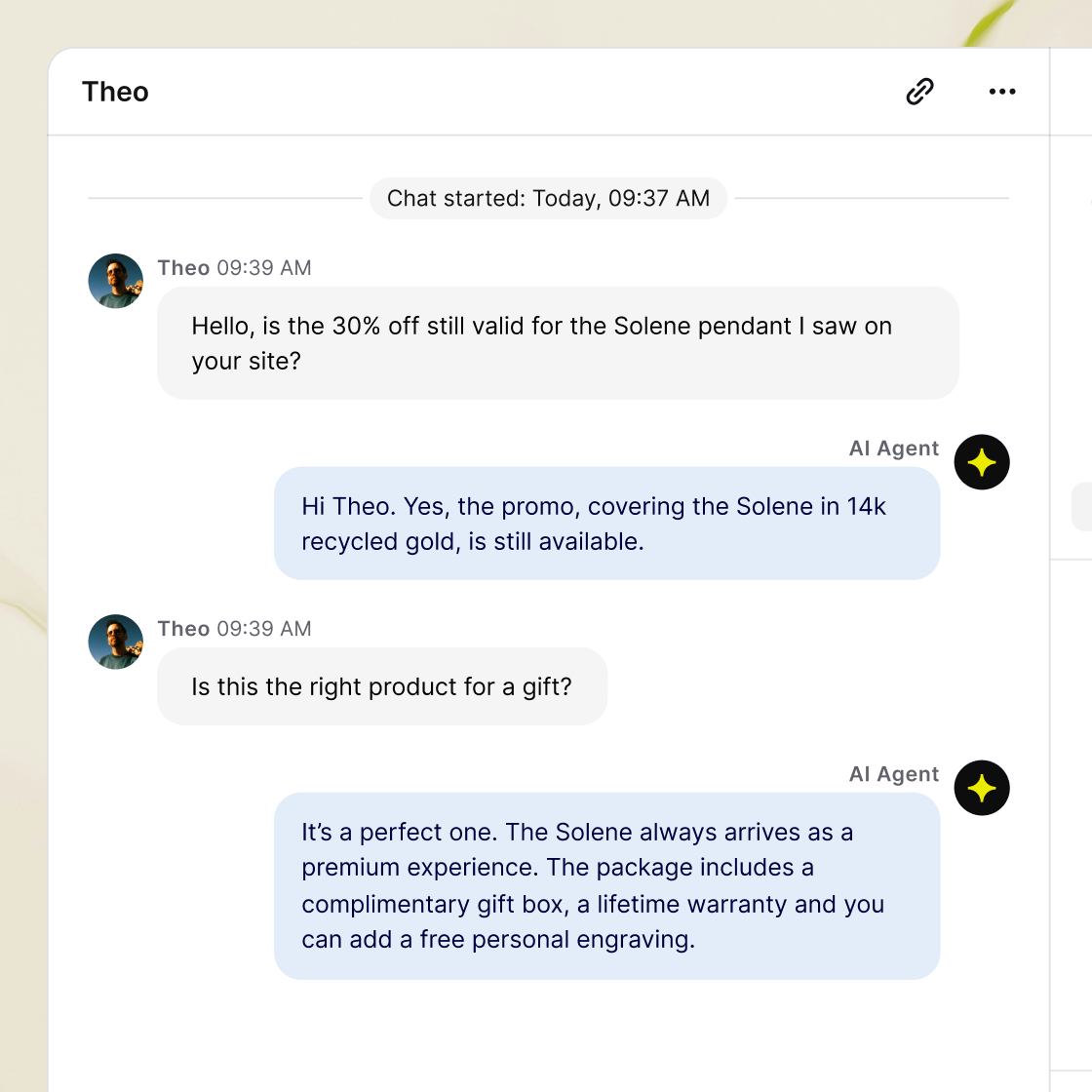
An AI customer service chatbot uses artificial intelligence to help customers through conversations—answering routine questions, guiding customers through tasks, collecting the right details, and handing off to a support agent when needed. For businesses and support teams building or improving AI-powered service, the goal is simple: deliver fast, consistent help around the clock, cut repetitive work, and free agents to focus on complex issues.
Text provides these capabilities through an AI agent, with live chat and ticketing in the same customer support platform. For teams evaluating customer support chatbots, this page covers knowledge, Skills, human handoff, channels, setup, and reporting.
Start by answering frequently asked questions from your help articles, then configure ticket creation and handoffs. Your customer service team can focus on investigations while a support agent receives the customer details already collected. For service teams, answering FAQs is a practical first step toward reliable support across your chosen channels. Use the FAQ chatbot template to define approved answers, source pages, and a fallback for questions that need a person.
How to choose and use AI support
You are starting a Text trial. Text combines an AI agent, live chat, and ticketing so your team can manage AI and human support in one workspace. The trial lasts 14 days and does not require a credit card. For enterprise-grade security requirements, review Text’s documented encryption in transit, access controls, and two-factor authentication. Confirm which login options and permissions are available on your plan. After the trial, paid plans have their own features and AI resolution allowances, with additional usage subject to pricing. Review current Text plans for the offer that fits your expected volume.
Start with website chat, then connect WhatsApp, Messenger, or Twilio SMS in Text’s channel settings to manage conversations across multiple channels. Set up each channel and its routing before expanding your AI service coverage.
Website chat
Add the Text chat widget to your website so visitors can ask questions while they browse. The AI agent answers from your connected sources, and teammates can join conversations from Inbox. For mobile apps, use Text’s APIs or SDKs with developer setup, then test the chat experience and routing.
Connect your supported WhatsApp business account and number to receive conversations in Text. The AI agent can handle incoming questions, with a route to your team when customers need more help.
Facebook Messenger
Connect your Facebook pages so the AI agent can respond to incoming Messenger conversations. Your team manages those messages in Inbox alongside website chat and other connected messaging apps.
SMS through Twilio
Connect a Twilio account and an SMS-capable number. The AI agent can reply using the knowledge you provide. Twilio requirements, message limits, and provider charges still apply.
For email service, connect your email channel to receive messages as tickets in Text. Your team can manage those cases alongside tickets created by an AI chat handoff, keeping follow-up work organized in Inbox.
Install on the platform you use
Use the WordPress integration to add the widget through a plugin, or connect a store with the Shopify integration. You can also install the widget with a script or through Google Tag Manager.
For WooCommerce, the WordPress plugin brings cart contents and product details into chat for your team. Shopify provides its own order context. Available customer data and actions depend on the integration; installing a widget alone does not connect every business system.
Add a connection for a specific service task
For information held in a CRM or another service, define what the agent needs to retrieve or change. Text Workflows includes a Salesforce connection for looking up contacts and updating records. Use a configured workflow for those actions, or a custom Skill with a webhook for your own system. Custom connections need technical setup and appropriate access controls.
Need order tracking that answers questions about order status? Explore WISMO support for that specific use case. For a refund, order change, or another action in a connected system, configure and test the required permissions and approval process with your technical staff.
When comparing customer support chatbots, test the jobs you need them to do. Check which knowledge sources they support, the actions they can take, how human agents take over, and what reports reveal about results. Ask which capabilities need an integration or custom setup. Compare trial results on your own customer queries, including exceptions and unanswered requests, rather than relying on a vendor’s best-case resolution rate.
Text lets you configure the AI agent’s supported languages. For multilingual support, test questions, terminology, and tone in each language you offer. Providing accurate answers in multiple languages requires review of the sources and responses, plus a clear route to a person. Coordinate the language settings with your team’s availability, and monitor quality using real questions.
This page focuses on support conversations: answers, configured tasks, escalation, and service quality. Explore the AI customer service agent for a broader view of autonomous conversations, or AI customer service software when evaluating the overall service workspace.
Traditional chatbots follow simple rules and predefined scripts. Some bots recognize specific keywords; others use menus. These scripted chatbots suit narrow, predictable tasks. Unlike traditional chatbots, AI-powered chatbots can work with varied wording. Context-aware bots use the available messages to understand context, but can still make mistakes. Compare rule-based chatbots and AI-powered chatbots using the same questions, including missing information and requests outside their scope.
Answer from your help content
Connect website pages, upload files, or write articles for the AI agent’s knowledge base. Add the policies, product information, and troubleshooting guidance that your customers actually need. You decide which sources to include and which pages to leave out.
Keep answers aligned with changes
Schedule website source updates and revise uploaded documents or articles when your service changes. A new policy, retired feature, or revised setup process should reach the knowledge base before customers receive outdated guidance.
Your team still handles decisions, investigations, and complex queries that need human judgment. An AI chatbot can handle supported questions and repetitive tasks, giving people more time for handling complex requests that require investigation. In Text, you can monitor AI conversations, take over a chat, and configure escalation. The right division of work depends on your service, knowledge quality, and customer expectations.
That depends on the connected system and configured actions. A website knowledge source is not access to a customer’s account. Native integrations expose specific information, while custom Skills can call configured webhooks. Before using account data or changing a record, establish how the customer is identified, what the agent is allowed to do, and when approval is required. Refunds and order changes should never be assumed to work just because the chatbot is installed.
AI chatbots can handle multiple conversations simultaneously, as IBM’s chatbot guide explains. This helps service teams manage repetitive tasks when customer queries rise. If your service needs thousands of simultaneous conversations, verify the provider’s capacity and test that workload before launch. Check response times, usage allowances, webhook limits, and the staff available for escalations. A high monthly chat total does not establish how many conversations a system can handle at once.
The key benefits of a chatbot should show up in the customer’s experience and the work left for people. Faster replies alone do not prove that a chatbot solution is useful. Companies should compare completed tasks, repeat contacts, and the effort customers spend getting help.
Instant answers that reduce wait times
Customer service chatbots provide immediate support for common questions when approved answers are available. Providing instant answers can reduce wait times across time zones, allowing customers to continue a purchase or finish a task. Real-time assistance is useful only when the answer is correct and the next step works. Check both during your free trial, including whether the chatbot can resolve issues customers actually bring to you.
More time for complex conversations
Automating routine queries gives a live agent time for complex cases. A chatbot can handle repetitive inquiries while a human rep investigates exceptions. Service operations become more efficient when the chatbot passes the current context intact to the right team. Evaluate smooth handoffs as carefully as the chatbot’s ability to respond.
Evidence of improved customer satisfaction
Chatbot analytics can help companies understand customer behavior and gain insights into recurring friction. Review chatbot interactions, ratings, and repeat contacts together. Enhancing customer satisfaction means solving the problem, not merely closing the session. The same data points can reveal where personalized product guidance, help content, or an internal process needs improvement.
For e-commerce businesses, start with the product questions and routine tasks that stop shoppers from moving forward. A chatbot can guide users through sizing information or a published returns policy, allowing businesses to offer self-service help for repetitive questions. To track orders, it needs access to current order details through a supported integration or configured webhook.
E-commerce platforms expose different capabilities. Check whether the integration supplies purchase history, cart contents, or fulfillment data, and which of that information is available to the chatbot versus a person. Do not assume that tools available on one platform work identically on another. Verify permissions before the chatbot handles sensitive account changes.
Companies should also separate service outcomes from marketing results. A chatbot that provides accurate product guidance may help someone buy, but revenue attribution depends on your tracking configuration. Where a chatbot collects details for marketing follow-up, explain the next step and obtain any required consent. Evaluate the overall customer experience, including customers who prefer to speak to a person.
Compare cost efficiency at the volume you expect to handle. Include licenses, usage charges, technical work, training, and ongoing content maintenance. Include future growth in your estimate. Ask which allowance applies to a resolved question and what happens when usage rises. Check whether real-time usage reporting is available before committing. Assess savings against total service spending, not a single license price.
A free trial gives users a chance to evaluate the chatbot before choosing a paid subscription. During the free trial, measure whether the chatbot helps resolve common customer issues and how much work remains for people. Track operational efficiency alongside the quality of assistance users receive.
For high-volume periods, plan how to scale the chatbot and the escalation queue together. Efficient automation should absorb routine work while preserving a responsive route to people for more complex issues. Scale gradually, compare results, and adjust the rollout when customer sentiment or repeated failures show that users are struggling.
Choose the first service job. Start with common issues that have a clear answer and a clear escalation route. Gather representative service questions, including awkward wording and missing information. Decide what a useful result looks like before adding more automated workflows.
Add knowledge and instructions. Add relevant sources, check that policies are current, and set your brand voice. Add instructions for asking follow-up questions and handling requests outside the chatbot’s scope. Configure the Skills, teams, and ticket fallback needed for your first workflow.
Test answers and handoffs. Use the preview widget to review responses and see when Skills would trigger. Preview does not create tickets or execute transfers, so follow it with controlled live tests. Check a successful answer, an unanswered question, an unavailable teammate, and any custom connection failure.
Connect, review, and expand. Deploy the chatbot on your chosen channel and review the first customer support conversations. Compare answers with your source material and check whether customers can reach a person. Expand to other workflows after fixing the gaps you find, keeping an owner responsible for updates.
Hand over the active chat
Effective customer support chatbots give customers a reliable path to human agents. Configure transfers for investigations, requests for a person, or situations the AI agent cannot answer. A transfer Skill can use sentiment cues, such as a customer expressing frustration, to route difficult cases to human agents. Configure and test that escalation rule before launch. Your teammate opens the conversation in Text Inbox and can read the messages already exchanged.
Your team can also supervise active AI chats and take over when needed. A useful handoff gives the specialist the full context of the current request; private records still need a configured connection.
Keep the request moving after hours
Your customer service chatbot can answer supported questions around the clock. Human availability still depends on your staffing. If no teammate is available within 30 seconds, Text can create a follow-up ticket when you enable that fallback.
Use the ticket to organize the next response and let customers know how follow-up works. In Text’s customer service platform, AI chats, live chats, and tickets share an Inbox, so your team can manage the live conversation and the ongoing case in one workspace.
Keep your brand voice recognizable
Choose the chatbot’s name, tone, response length, and supported languages. Add instructions that explain how it should respond to customer inquiries, including when to ask a clarifying question and when to bring in a person.
Give chatbot Skills a specific job
Skills define the actions a chatbot can take during a conversation. Describe the workflow in plain language and Text generates its steps. Review the trigger, actions, and conditions before activating it. Start with one service job and test what happens when information is missing or a customer asks for an exception.
Use Text reporting to see what your AI chatbot handles. Review AI resolutions, handled chats, transferred chats, and customer satisfaction scores together. Check whether answers are useful and escalations reach the right person.
Use customer feedback to check the outcome
Read conversations behind the numbers to understand recurring questions, customer behavior, and preferences. Did the response answer the question? Did the next action work? Use ratings and CSAT to find where the customer experience needs attention, alongside the volume of work handled by AI and people.
Review customer interactions for gaps
Compare recurring customer issues with missing or outdated knowledge. Use chat and ticket reports to review response times and ticket resolution times separately. This helps your team spot delays and optimize agent performance with a specific change to content, routing, or staffing.
Connect service to business results
Useful help can remove a reason to cancel, abandon a purchase, or stop using a product. Where ecommerce tracking is configured, Text’s sales reports show sales attributed to conversations. Pair service reporting with your business data to understand the role service plays in keeping customers and helping them buy.
A personalized customer experience starts with relevant customer context. Text Skills can retrieve available customer data, including a name, custom fields, and visit history. Use a personalized greeting for a known customer. Ask about their preferences, product, or plan, then use the answer for personalized responses and a relevant next step. A configured webhook can retrieve current account information from your CRM during the conversation. Decide what information is needed and how access is checked, then test whether that context makes the response more useful. Do not assume the agent can access all previous interactions without a configured connection.
Text’s Milano Cortina 2026 customer story reports more than one million messages and 99% of conversations resolved without an agent while supporting volunteers for the 2026 Winter Games.
In an earlier ChatBot deployment, Funded Trading Plus reported about 125,000 automated chats per year, 93% chat satisfaction, and an 18% workload reduction. That December 2024 case study concerns ChatBot, LiveChat, and KnowledgeBase.
These are results from specific deployments. Use your Text trial to measure your own resolution rate, CSAT, and human workload against the service jobs you want to automate.
AI customer service chatbots use artificial intelligence to interpret user input and generate responses. Natural language processing helps them understand customer intent across different phrasings. Modern generative AI typically uses large language models built through machine learning to work with language and context. In Text, you provide business knowledge, configure instructions, and define Skills for actions. The chatbot uses that configuration during customer interactions. You do not need to train your own AI models to get started. Agentic AI adds tools for multi-step actions, such as retrieving information and passing it to another configured step.
Proactive support starts before a customer asks for help. A useful prompt can guide someone who is stuck on a setup page, but avoid interrupting every visit. When evaluating customer service chatbot software, check how prompts are triggered, which channels support them, and how customers can dismiss them. Test the timing and usefulness before expanding the approach.
With Text’s no-code builder, you can automate responses to common service questions using your connected sources. You can set its profile and instructions without coding your own chatbot software. For native actions, describe a Skill in plain language, then review and test the generated workflow. Website installation depends on your platform: supported plugins offer a guided route, while a custom site may need someone to add the installation script. Connecting a private system through a webhook requires technical skills to configure the endpoint, permissions, returned data, and error handling. Start with the native features your first use case needs.
No. The machine learning behind an AI chatbot does not make every customer message approved business knowledge. Text lets you maintain the chatbot’s source content, schedule website updates, and refine instructions. Use conversations and customer feedback to identify what needs changing, then update the appropriate source or Skill. Your content owner stays responsible for response accuracy and can check whether revisions produce more accurate responses.
Text counts an AI resolution when the agent provides an answer that directly solves at least one customer question. A conversation that solves nothing, or transfers without answering a question, does not count as a resolution. Read that metric alongside transferred chats and CSAT: solving one question does not necessarily mean every issue in the conversation is finished. See Text’s resolution documentation for usage details.
Savings depend on which requests you automate and how much human work remains. Gartner’s March 2025 forecast projects that agentic AI will handle 80% of common service issues by 2029, with operational costs falling 30%. This is an industry forecast, not a measured Text result.
For a separate vendor example, Zendesk reports that Lush saves roughly five minutes per ticket and 360 agent hours monthly by automating common inquiries and collecting details for agents. Your result will depend on request volume, knowledge quality, and the work you automate.
During your trial, compare human handling time, repeat contacts, and total service costs before and after automation. Include setup, maintenance, and AI usage costs when evaluating savings. Measure chatbot performance against these outcomes before expanding workflow automation.
Model training creates the underlying technology
Machine learning algorithms train an AI model on data so it can recognize language patterns. That model training is distinct from configuring a business chatbot. As IBM explains, modern chatbot technology combines language processing, trained models, and other components. The model does not automatically know a company’s current policies, private records, or subscription details.
Business knowledge supplies the answers
When vendors describe chatbot training on a website, ask what their training process actually does. Does the chatbot retrieve information from those pages, update a searchable index, or change a model? For Text, start with the documented knowledge hub and review the data sources you supply. Training terminology should never replace an explanation of how current information reaches the chatbot.
Keep an owner for content updates after the initial training and configuration. Ongoing optimization means reviewing relevant responses, correcting missing information, and checking whether changes help users. To deliver consistent assistance, maintain policies and product guidance when the business changes.
Connected data makes account-specific tasks possible
A chatbot needs a configured connection to retrieve current account information. Approved website content is not a live account-management integration. For account changes, define the permitted actions, identity checks, and approval steps. Ask the provider to demonstrate the complete process with sample data before users depend on it.
Tools like low-code workflow builders can simplify connections, but common tools still need credentials and a defined data format. A developer may need to build a private endpoint. Compare the development and maintenance required by each integration, including how the chatbot responds when a service is unavailable.
Omnichannel support should make it easier to meet customers where they already communicate. Compare how a chatbot delivers personalized assistance across channels, including websites, social platforms, and mobile messaging. A shared inbox can organize the work, but it does not by itself prove that a chatbot can identify the same person across various platforms.
Ask how conversation context and customer identity move between channels. Check whether users can switch devices, whether the chatbot can respond in different languages, and what happens when a channel disconnects. Consistent responses depend on current content and routing rules, as well as the technology behind the chatbot.
Does text chat also include voice?
Voice is a separate capability. A voice chatbot needs technology that processes speech and returns a spoken response. Confirm whether voice is offered, how voice interactions are priced, and what happens when speech is misunderstood. This page describes Text’s text-based channels; it does not establish a phone or voice-bot integration.
Collect the details for an investigation
Ask for a description of the problem and the contact details needed for follow-up. A configured Skill can update customer information and create a ticket. The customer has a way to continue the request, and your help desk has a starting point for investigating it. Preview a complaint follow-up example.
Route an exception to a specialist
Define when a conversation should move to a specific team, such as a billing dispute that requires a person’s judgment. For example, keep complex problems involving policy exceptions with an authorized specialist. The AI agent can route requests using your configured routing. Human agents handle the decision with the customer’s messages available in the conversation. Preview a VIP routing example.
Look up information in your system
A custom Skill can call a webhook to retrieve real-time information from your CRM or order management system during a conversation. Give customers a current order status, subscription detail, or service-request update using the returned data. Your technical team sets up the connection, access checks, and failure handling before the agent uses it.
Capture a sales lead while helping a customer
Text’s AI chatbot can collect leads during customer conversations. Configure a Skill to capture contact details and key requirements, then route qualified leads to your Sales team. Use it when a customer asks about an option their current plan does not cover and wants a follow-up. For lead management, connect the AI chatbot to your CRM through a configured webhook. It can create or update a lead with the details already collected, so Sales can follow up. Start with the customer’s question and permission to continue. Preview a lead capture example.

See how Text handles your service questions
Bring your help content and one service workflow. Test a customer service chatbot on your own questions, configure its next action, and check the handoff with the people handling escalations.
Free 14-day trial No credit card required